This website is biased toward ReShiki, because its maintainer also maintains ReShiki. Please be careful.
ChemCanvas
A desktop editor for drawing 2D chemical structures, reaction schemes and mechanisms.
Open source. 33 of 65 checklist features confirmed.
Main canvas
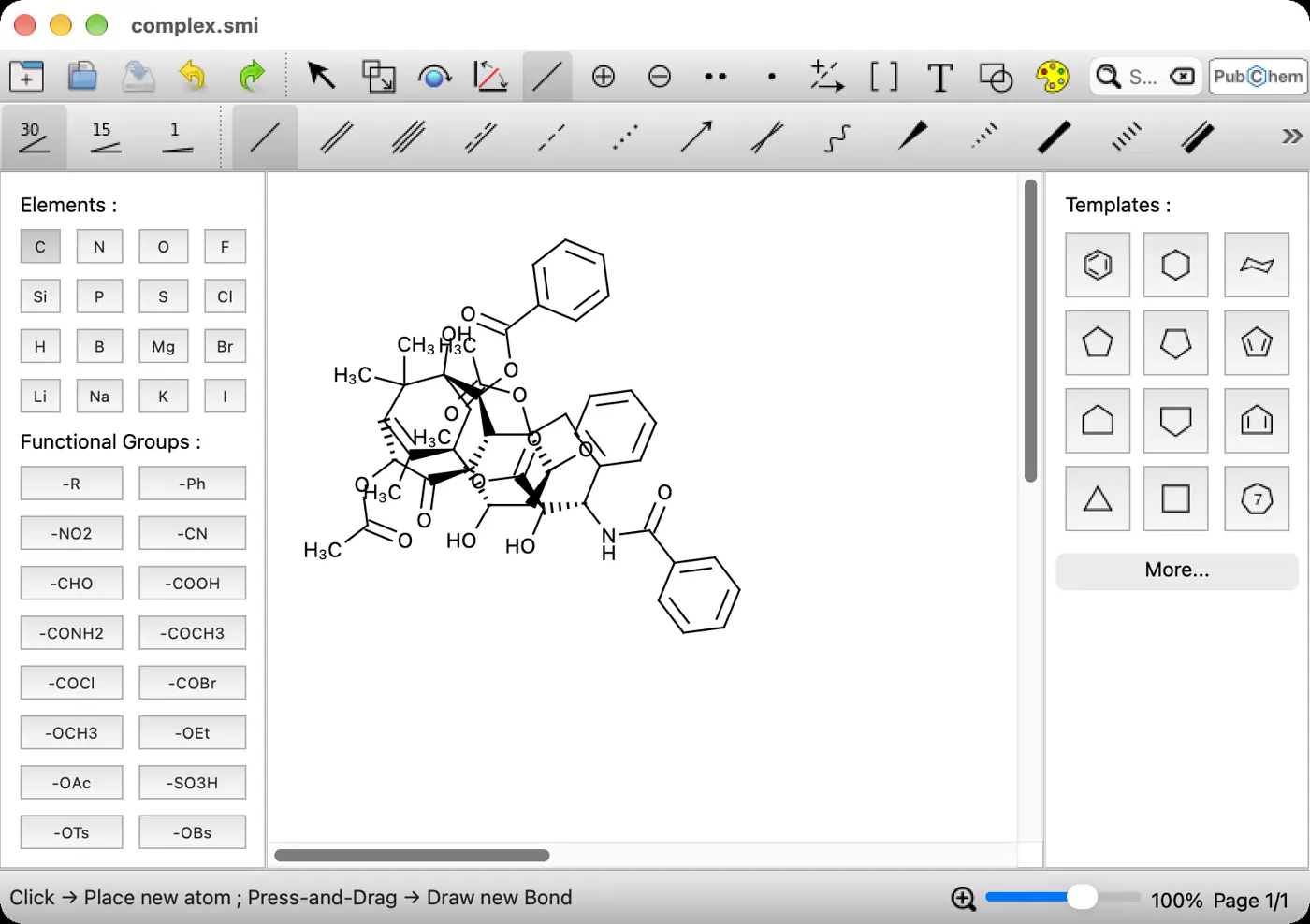
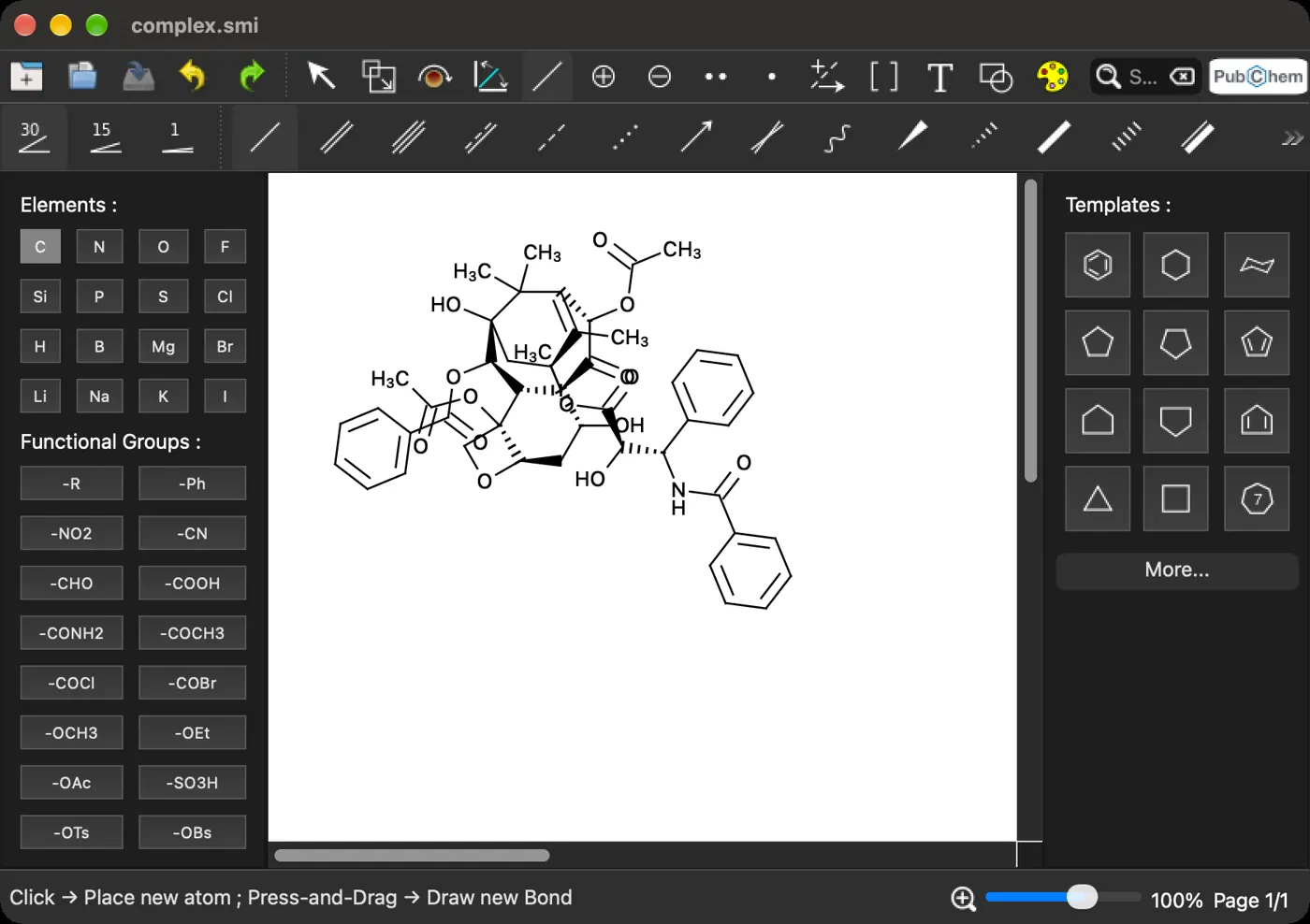
Dark interface; drawing canvas remains white.
Default drawings
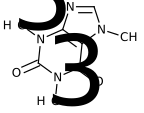
Caffeine
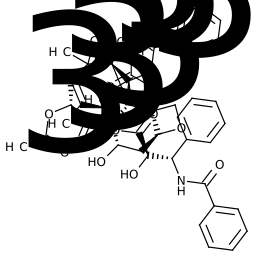
Paclitaxel
No 3D view
Cholesterol in 3D
- Caffeine SMILES import generated a complete 2D drawing.
- Paclitaxel automatic layout contains overlapping bonds and labels.
- Terminal carbons display CH3 labels by default.
- SVG exports crop to drawing bounds.
- Cholesterol SDF appears as a flat, hydrogen-labelled drawing.
Facts
- GitHub stars
- 59 stars on 6 Nov 2026
- First commit
- 21 Jul 2021
- Repository activity
- 497 commits, 1 contributor, last push 5 Nov 2026
- Latest version
- v0.14.8
- Version we tested
- 0.14.8
- Runs on
- Windows, Linux
- License
- GNU General Public License version 3 or later.
- Price
- Free
- Relies on
- None linked. Ported into its own code: OASA. Custom Qt canvas; chemistry includes adapted OASA source.
- Draws with
- Qt QGraphicsScene and QPainter; custom SVG serialization
- Chemistry from
- Custom Python molecular graph, SMILES and aromaticity code
- Interface
- PyQt5 (v0.14.8)
- Main language
- Python
- Other languages
- C++: Qt widgets and graphics via PyQt5
- Renderer
- Original: ChemCanvas molecular drawing over Qt
- Third-party licenses
- PyQt5 uses GPL-3.0 and Qt LGPL-3.0. Adapted OASA code is GPL-covered (upstream GPL-2.0-or-later; repository notices GPL-3.0).
- Download
- 0.4 MB
- Installed
- 156 MB
- Official packages target Windows and Linux.
- CDXML exchange omits free text, shapes and brackets.
- SMILES export takes one molecule and cannot encode disconnected compounds.
In use
Screenshots from our test of this version.
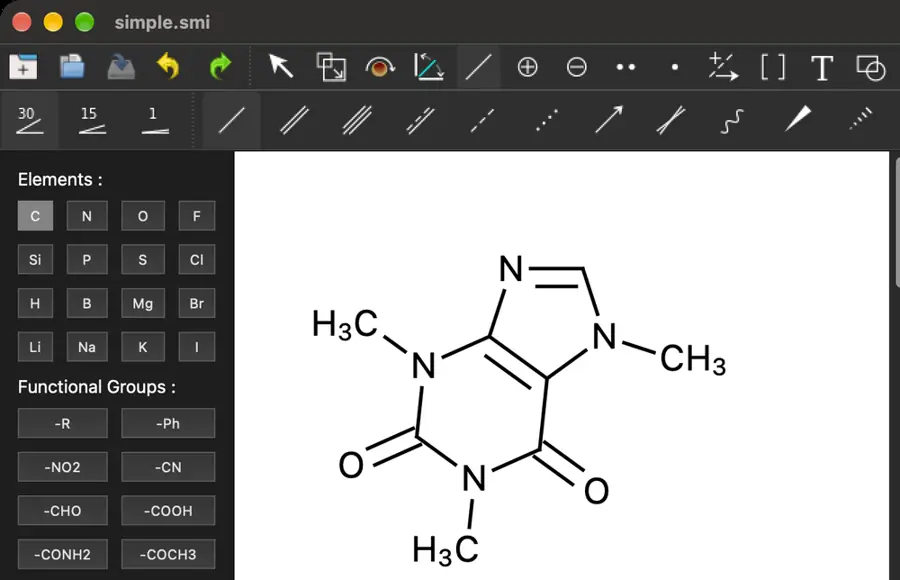
Single, double and triple bonds
Single, double, and triple bond tools above a caffeine drawing.
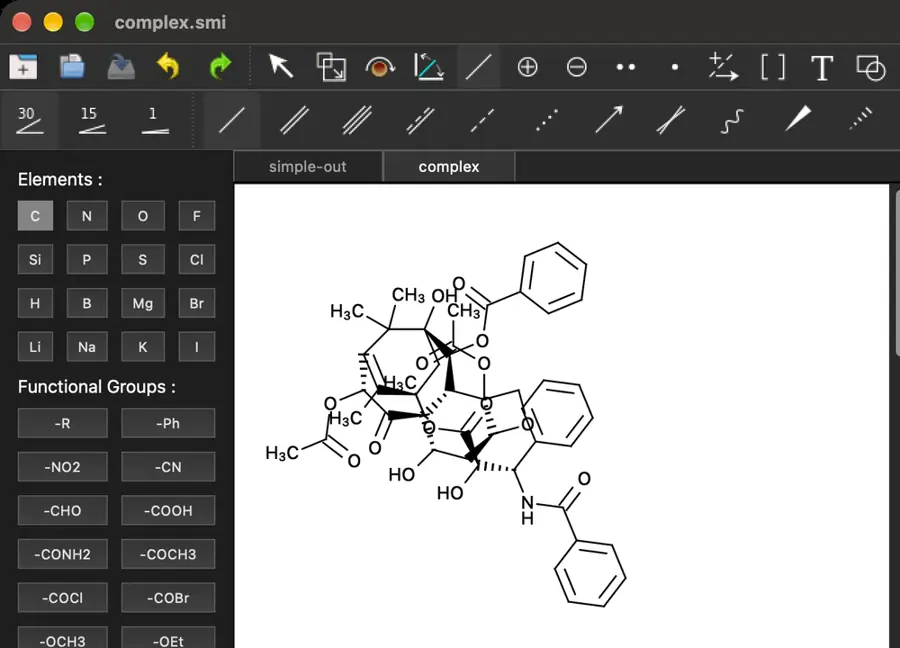
Wedge, hash and wavy bonds
Solid and hashed wedges in a structure and the bond toolbar.
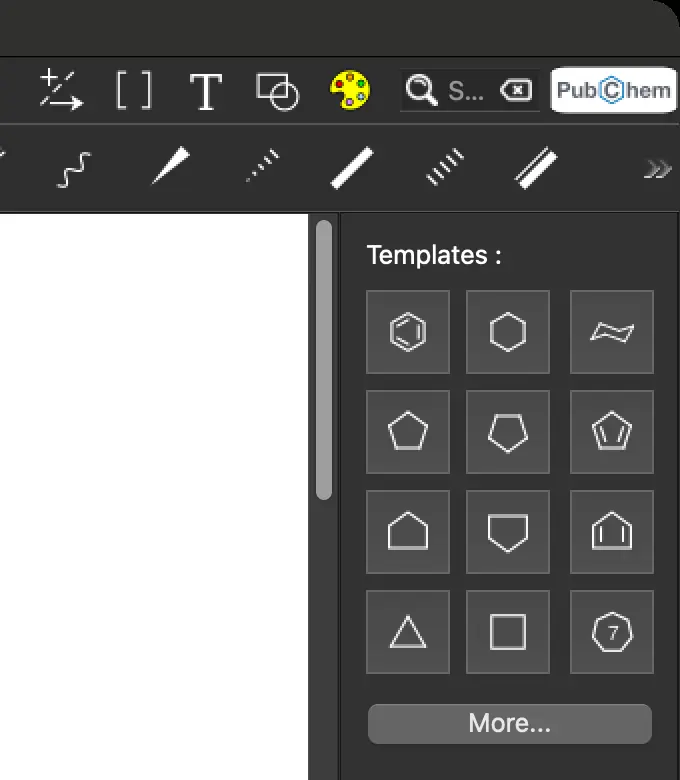
Ring tools
Ring templates, including benzene, beside the canvas.
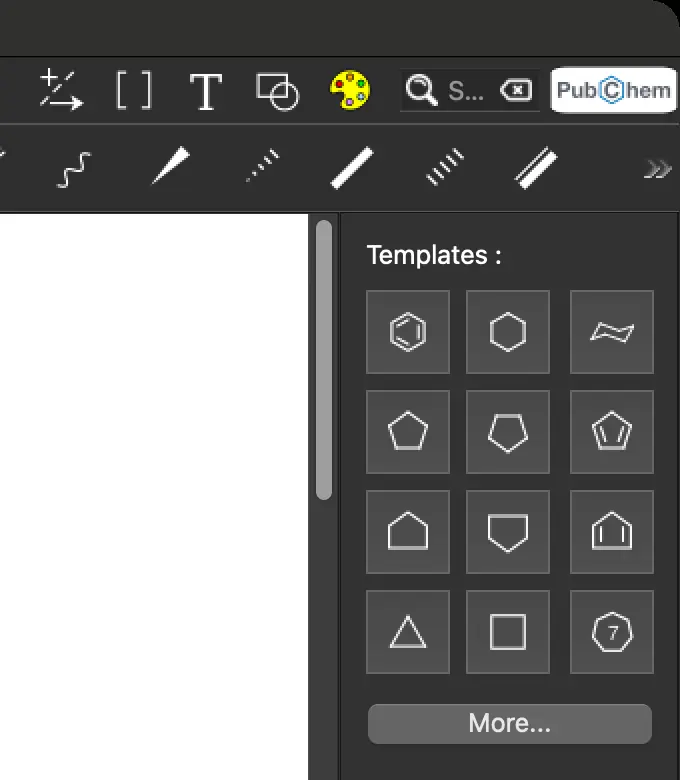
Chair and Haworth rings
The template palette includes a cyclohexane chair.
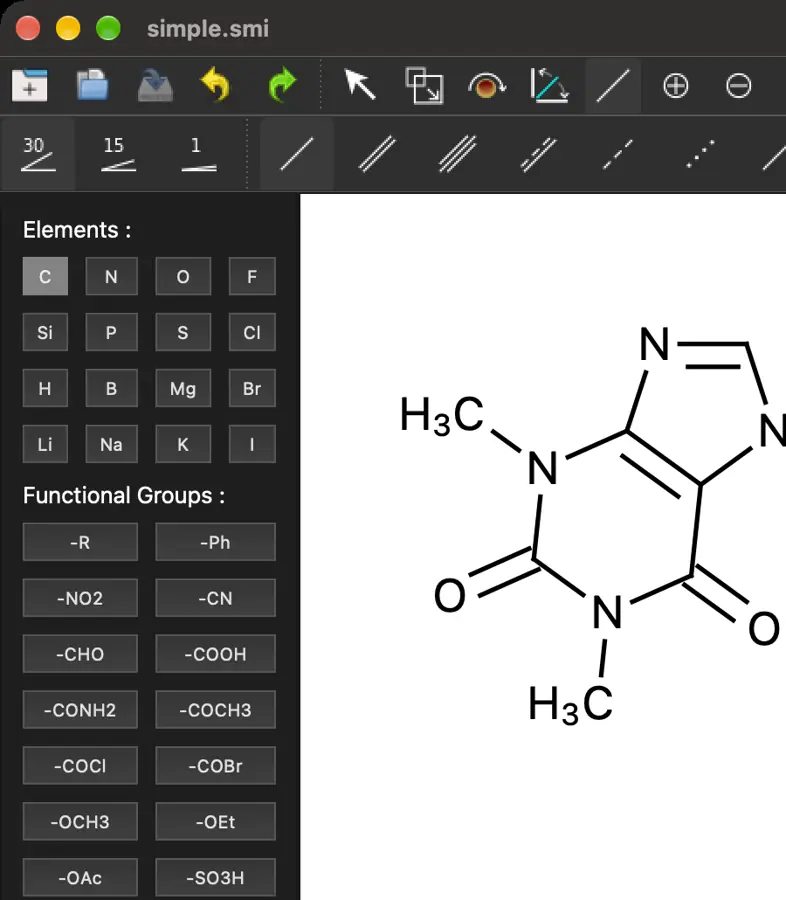
Group abbreviations
Functional group palette with Ph, COOH, OEt, and other labels.
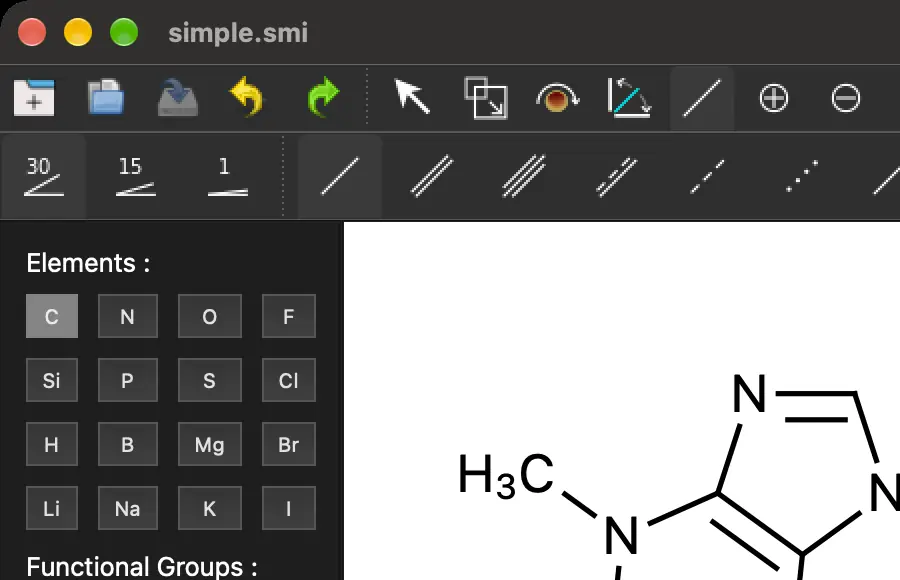
Charges, isotopes and atom labels
Element palette and charge controls beside the drawing canvas.
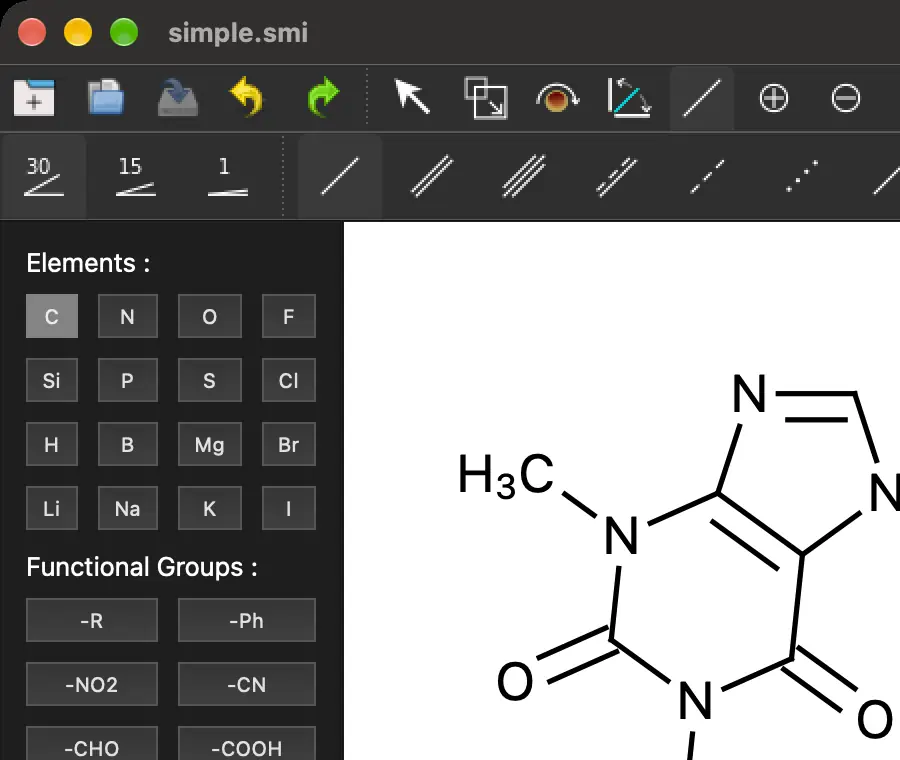
R-groups and query structures
The functional group palette includes an R label.
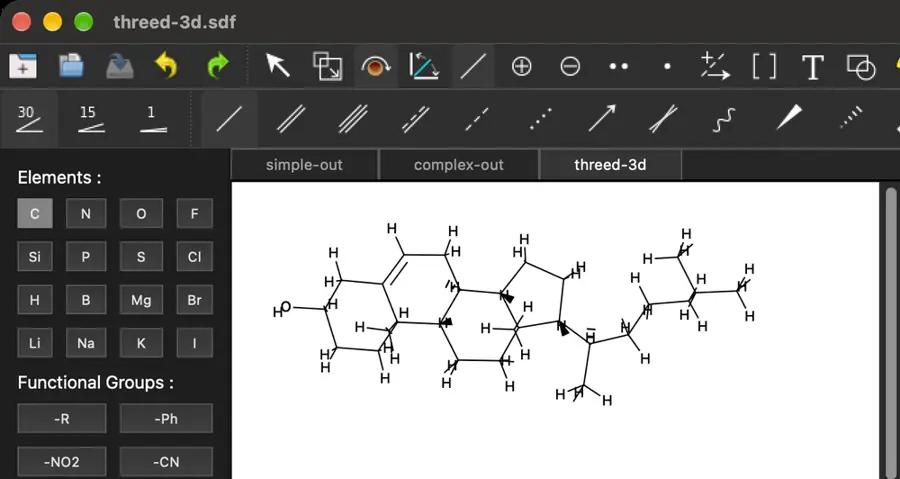
MOL and SDF
An SDF file displayed as a flat molecular drawing.
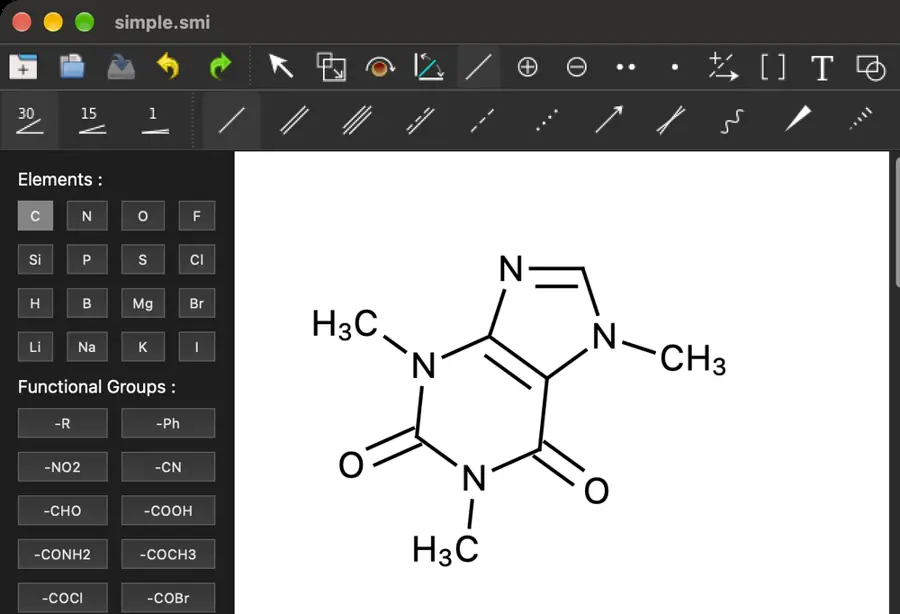
SMILES
A SMILES file displayed as a caffeine drawing.
Features
- Tested by running it
- Seen in the app
- The manual says yes
- Partly, with the reason shown
- Not supported
- Not established, which is not the same as no
Select a mark for its proof. A filled mark opens our screenshot, or the manual if the check left nothing to picture. A ring opens the manual.
Drawing structures
- Partly: Tools selected; computer-use drag failed with noWindowsAvailable. Opens the screenshot.Single, double and triple bondsTools selected; computer-use drag failed with noWindowsAvailable.github.com
- Partly: Imported wedges; manual drawing blocked by computer-use drag error. Opens the screenshot.Wedge, hash and wavy bondsImported wedges; manual drawing blocked by computer-use drag error.github.com
- Yes, according to the manual: Coordinate and hydrogen bonds. Opens the cited page.Dative, hydrogen and quadruple bondsCoordinate and hydrogen bonds.github.com
- Yes, according to the manual: Left, right, centered and automatic placement. Opens the cited page.Choose double-bond sideLeft, right, centered and automatic placement.github.com
- Yes, tested by running it: Placed a benzene ring from the palette. Opens the screenshot.Ring toolsPlaced a benzene ring from the palette.github.com
- Yes, according to the manual: Built-in cyclohexane chair template. Opens the cited page.Chair and Haworth ringsBuilt-in cyclohexane chair template.github.com
- Yes, according to the manual: Drag draws zigzag carbon chains with an atom count. Opens the cited page.Chain toolDrag draws zigzag carbon chains with an atom count.github.com
- Yes, tested by running it: Selected Alanine from the library and inserted it. Opens the cited page.Template librarySelected Alanine from the library and inserted it.github.com
- Yes, according to the manual: Save named molecular templates with attachment atom and bond. Opens the cited page.Save your own templatesSave named molecular templates with attachment atom and bond.github.com
- Yes, according to the manual: Groups including Ph, OAc and OCH3 expand into structures. Opens the cited page.Group abbreviationsGroups including Ph, OAc and OCH3 expand into structures.github.com
- Yes, according to the manual: Editable symbols, charges and isotope numbers. Opens the cited page.Charges, isotopes and atom labelsEditable symbols, charges and isotope numbers.github.com
- Yes, according to the manual: Dedicated radical and lone-pair tools. Opens the cited page.Radicals and lone pairsDedicated radical and lone-pair tools.github.com
- Not establishedKeyboard drawing
- Yes, according to the manual: Lasso selection, resizing, molecule rotation, mirror and inversion. Opens the cited page.Lasso select and transformsLasso selection, resizing, molecule rotation, mirror and inversion.github.com
- Yes, according to the manual: Rotate drawing atom coordinates in three dimensions. Opens the cited page.Tilt drawings in perspectiveRotate drawing atom coordinates in three dimensions.github.com
Reactions and mechanisms
- Partly: Arrow tools selected; computer-use drag failed with noWindowsAvailable. Opens the cited page.Reaction arrowsArrow tools selected; computer-use drag failed with noWindowsAvailable.github.com
- Partly: Electron Pair Shift selected; computer-use drag failed with noWindowsAvailable. Opens the cited page.Curved mechanism arrowsElectron Pair Shift selected; computer-use drag failed with noWindowsAvailable.github.com
- Yes, according to the manual: Single-step reactions store reactant and product molecules in MRV. Opens the cited page.Machine-readable reactionsSingle-step reactions store reactant and product molecules in MRV.github.com
- Not establishedAtom mapping
- Yes, according to the manual: Dedicated s, p, dxy and dz2 orbital tools. Opens the cited page.Orbitals and symbolsDedicated s, p, dxy and dz2 orbital tools.github.com
Figures and layout
- Yes, according to the manual: Free-text fonts, size, subscripts, superscripts, bold, italic and underline. Opens the cited page.Rich text captionsFree-text fonts, size, subscripts, superscripts, bold, italic and underline.github.com
- Yes, according to the manual: Editable lines, rectangles, ellipses and brackets. Opens the cited page.Shapes, brackets and curvesEditable lines, rectangles, ellipses and brackets.github.com
- Not establishedAlign and distribute
- Not establishedGroup and ungroup
- Not established2D structure cleanup
- Not establishedJournal drawing styles
- Yes, according to the manual: Bond settings and atom font size persist across sessions. Opens the cited page.Reusable custom stylesBond settings and atom font size persist across sessions.github.com
- Yes, according to the manual: Atoms, bonds and other objects can be colored individually. Opens the cited page.Color controlAtoms, bonds and other objects can be colored individually.ksharindam.github.io
- Partly: Atom and bond selection backgrounds are excluded from image exports. Opens the cited page.Color highlightingAtom and bond selection backgrounds are excluded from image exports.github.com
- Yes, according to the manual: One to 200 pages, standard/custom sizes, orientation and margins. Opens the cited page.Page layout and multipageOne to 200 pages, standard/custom sizes, orientation and margins.github.com
- Not establishedImported pictures
- Not establishedTLC plates and tables
Chemistry intelligence
- Not establishedStructure checking
- Not establishedR/S and E/Z labels
- No: No formula or mass command found in inspected UI. Opens the cited page.Formula and massNo formula or mass command found in inspected UI.
- Not establishedProperty estimates
- Yes, tested by running it: PubChem caffeine lookup returned and inserted a structure. Opens the cited page.Name to structurePubChem caffeine lookup returned and inserted a structure.github.com
- No: No structure-to-name command found in inspected UI. Opens the cited page.Structure to nameNo structure-to-name command found in inspected UI.
- Not establishedNMR prediction
- Yes, according to the manual: R-group labels in the functional-group palette. Opens the cited page.R-groups and query structuresR-group labels in the functional-group palette.github.com
- Not establishedPolymers and repeat units
- Not establishedPeptides and nucleic acids
- Not establishedImage to structure
- Yes, tested by running it: Fetched caffeine from PubChem and inserted the returned structure. Opens the cited page.Online structure lookupFetched caffeine from PubChem and inserted the returned structure.github.com
- No: 3D SDF opened as flat drawing; no model viewport. Opens the cited page.3D model view3D SDF opened as flat drawing; no model viewport.
- Not establishedCrystal structures
Files and exchange
- Yes, tested by running it: Caffeine exported and imported successfully. Opens the cited page.CDXML import and exportCaffeine exported and imported successfully.github.com
- No: CDX absent from inspected file-format lists. Opens the cited page.CDX import and exportCDX absent from inspected file-format lists.
- Yes, tested by running it: MOL exported/reopened; cholesterol SDF imported as a flat drawing. Opens the screenshot.MOL and SDFMOL exported/reopened; cholesterol SDF imported as a flat drawing.github.com
- Yes, tested by running it: SMILES files imported; Generate SMILES produced caffeine output. Opens the screenshot.SMILESSMILES files imported; Generate SMILES produced caffeine output.github.com
- No: InChI absent from inspected file-format lists. Opens the cited page.InChIInChI absent from inspected file-format lists.
- No: RXN absent from inspected file-format lists. Opens the cited page.RXN filesRXN absent from inspected file-format lists.
- Yes, tested by running it: Saved default cropped vector SVG for both fixtures. Opens the cited page.SVG exportSaved default cropped vector SVG for both fixtures.ksharindam.github.io
- Yes, tested by running it: Saved caffeine PDF with default settings. Opens the cited page.PDF exportSaved caffeine PDF with default settings.github.com
- Partly: Default PNG exported at 100 DPI; resolution control present. Opens the cited page.High-resolution PNGDefault PNG exported at 100 DPI; resolution control present.github.com
- Not establishedPaste to and from ChemDraw
- Not establishedEditable in Word or PowerPoint
- Not establishedWindows Office OLE
APIs and automation
- Not establishedPython API
- Not establishedJavaScript or TypeScript API
- Not establishedCommand-line tool
- Not establishedAI agent control
- Not establishedBuilt-in AI assistant
Embedding and extension
- Not establishedPlugins
- Not established: Standalone PyQt application; no editor integration API documented.Embed in your own appStandalone PyQt application; no editor integration API documented.github.com